

KELK Technical Support Portal
The KELK Technical Support Portal is where customers and KELK employees get help with KELK force and dimensional measurement systems. Submit a support request, attach logs or photos, and follow your ticket from Open to Closed with the KELK Customer Support team.
This opens the KELK Support Portal. First time? You'll create a free account using your email address.
Looking for a quote or product information instead? Contact Us here.
Create Your KELK Support Portal Account in 3 Steps
First time here? Setting up your free account takes three steps. If you already have an account, enter your email to log in.
-
1
Enter Your Email
Enter your email address on the KELK Technical Support login page and click Next.
-
2
Sign Up
Review the Privacy Policy and the Notice and Disclaimer, then click Sign up.
-
3
Set Your Password
Check your inbox for a password setup link. If it doesn't arrive, click Resend password setup link.
Report, Troubleshoot and Track Issues in One Portal
Each request, its files and every reply stay together in a single ticket, so you and your KELK support engineer always work from the same record.
Report Technical Issues
Report problems with KELK equipment or software at your mill.
Request Troubleshooting
Work through a problem directly with a KELK support engineer.
Submit Errors & Alarms
Flag system errors, alarms, drift or other performance concerns.
Upload Diagnostics
Attach logs, screenshots, reports or photos of the installation.
Track Your Request
See the current status of every request you've submitted.
What to Include in Your Support Request
Complete requests get resolved faster. Have these ready before you start.
- ✓Your name and site. The mill or facility where the equipment is installed.
- ✓Contact information. The best email and phone number for your engineer to reach you.
- ✓Product affected. For example, a Rollmax Load Cell, tensiometer, looper assembly or ACCUBAND width gage.
- ✓Description of the problem. What you're seeing, when it started and any alarms or error messages.
- ✓Business impact. Whether the line is down, running at reduced output or producing out-of-tolerance material.
- ✓Attachments. Logs, screenshots, reports or photos of the installation.
KELK Technical Support Frequently Asked Questions
Answers about accounts, tickets and where to send each kind of question.
How do I contact KELK technical support?
Submit a request through the KELK Technical Support Portal. Your ticket goes to the KELK Customer Support team and is assigned to a support engineer. All communication stays in that ticket.
Do I need an account to submit a ticket?
Yes. You'll create a free account with your email address the first time you visit.
What should I include in my request?
Include your name and site, contact information, the product affected, a description of the issue and its business impact. Logs, screenshots or photos help us resolve it faster.
Which KELK products does technical support cover?
KELK technical support covers Rollmax Load Cells, tensiometers and looper assemblies, fluid pressure transmitters, ACCUBAND width gages, thickness and other optical gaging, laser velocimeters, crop optimization systems and custom load cells.
How do I check my ticket status?
Log in to the portal and open your ticket to see its current status. Tickets move through Open, In Progress, Waiting for Customer, Resolved and Closed.
What is a KCS ticket number?
It's the reference number you receive after submitting a request, for example KCS-12345. Use it to track your request and to refer to it when you contact the KELK team.
Can I add information after I submit a request?
Yes. Your engineer may ask follow-up questions, and you can reply and attach files in the same ticket.
Is this the right place for sales or pricing questions?
No. This portal is for technical support only. For quotes or product information, please use our Contact Us form.
Looking for a Quote or Product Information?
The Support Portal handles technical support only. For pricing, quotes, new installations or product questions, contact the KELK sales team directly.
Get Your Mill Measurement System Back to Spec
If a sensor is drifting or a gage is down, submit a request and get it in front of a KELK support engineer.

KELK Videos
Watch a collection of videos covering KELK's measurement equipment, systems, and solutions used in steel and aluminum rolling mills around the world.
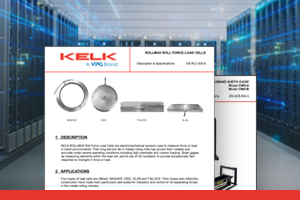
Product Datasheets
Submit the form below to receive detailed datasheets, specifications, and application data for KELK's full range of measurement solutions

Q&A
Browse answers to common questions about KELK products, installation, and applications, or submit your own question to our technical team.